Scraping Product Listings From JavaScript-Heavy E-Commerce Sites
Discover how to extract product data from sites that rely on JavaScript to render content.
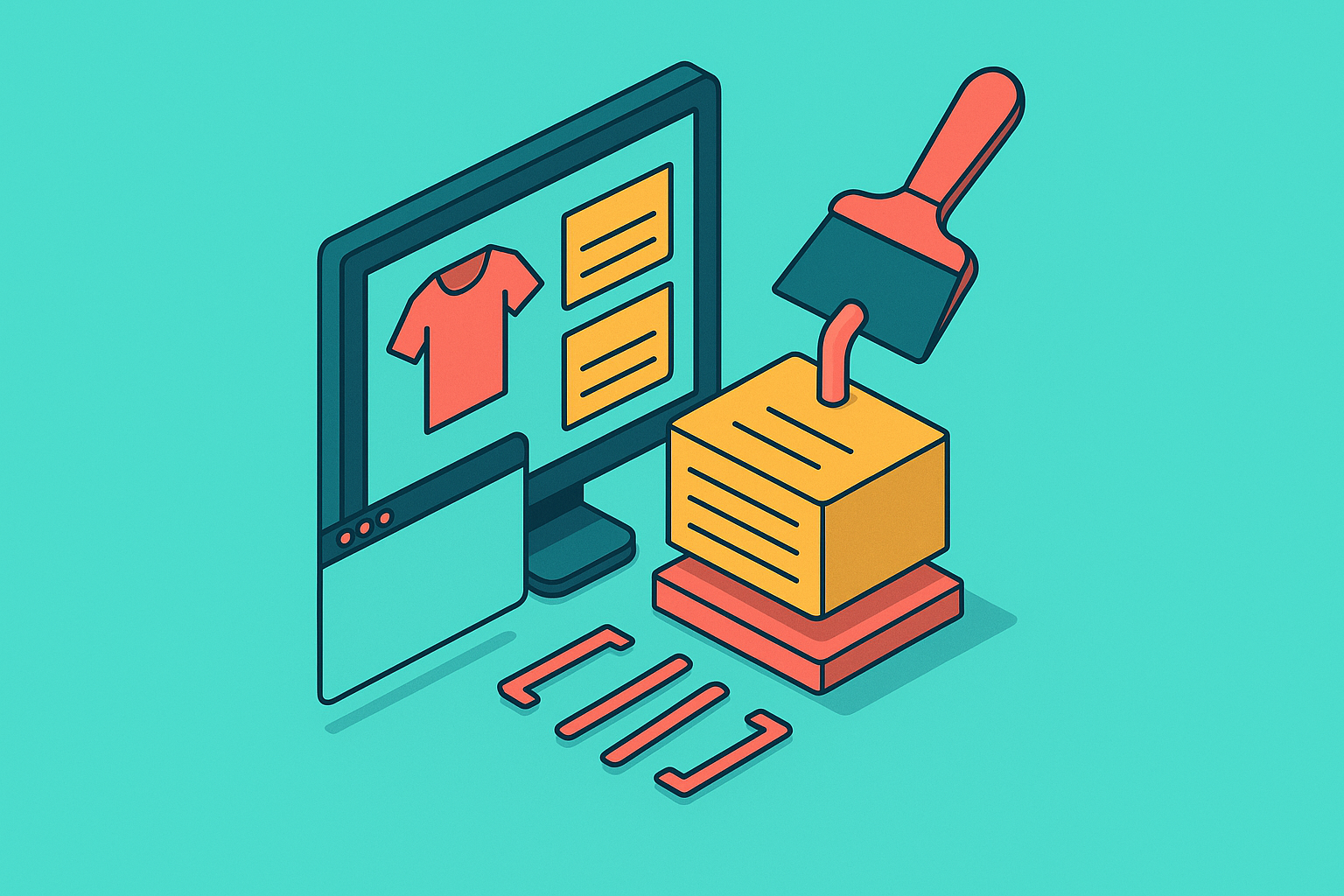
A plain HTTP request to most product pages today gets back almost nothing from the server: a single <div id="root"></div>, a pile of JavaScript files, and not much else. The price, the stock count, the reviews, all the stuff a scraper actually came for, don't exist yet. They get written into the page only after those JavaScript bundles run and fire off their own calls back to the server. The page you asked for and the page a browser eventually shows a person are two different documents.
This is the normal state of the web now, not some unlucky edge case. React, Vue, Angular, and Svelte power most modern web applications, and all four build sites this way by default: ship a skeleton, fill it in later with code. A plain HTTP client only ever sees the skeleton.
A handful of patterns make this worse. Infinite scroll means most of a category page's products never appear in the first response; they load in batches as a user scrolls, so a scraper reading only that first response gets a fraction of the catalog. With lazy loading, images and detail panels don't load until they're about to enter the viewport. Virtual scrolling goes further: at any given moment, only the product cards currently on screen exist in the DOM, and scrolling tears down old nodes and builds new ones to replace them. And if you add client-side routing to the mix, where clicking from one category to another swaps content in place without ever loading a new HTML document, you get a page that behaves nothing like the static documents HTTP scraping was built around.
The dangerous part is how quiet the failure is. The request succeeds, with the server returning a successful response. The scraper sees no error and nothing broken, so it logs the run as clean. Empty strings and placeholder text where prices should be surface only later, when the scraped output lands in a spreadsheet. As one 2026 scraping guide put it, "nothing obviously looks broken, the website is available, the request succeeds, and your scraper appears to be doing its job." That gap between "ran successfully" and "collected real data" is the entire reason this is a three-layer engineering problem.
Once it's clear the real data arrives in a second or third wave of network activity after the page loads, the path forward splits in two. One option reaches for a full browser to recreate what a human visitor sees. The other skips the browser and goes straight for the data those secondary calls are already fetching. Deciding between them, correctly, before writing a line of code, is the first real decision in this whole process.
The first decision: intercept the internal API before reaching for a browser
Before building a headless browser setup, check whether a headless browser is even needed. JavaScript-heavy sites don't invent their product data out of thin air. They pull it from internal backend endpoints, the same endpoints a plain HTTP client can often call directly, with no rendering, no browser, no waiting on scroll events.
Finding those endpoints doesn't take special tooling. Open the target page in an ordinary browser, then open the network tab and watch what loads after the initial page appears. Somewhere in that list of XHR and Fetch requests sits the call that actually fetches the product data, and it frequently comes back as clean, structured JSON holding exactly the fields a scraper wants: price, SKU, inventory count, star rating, all in one tidy package. Look for URL patterns like /api/products, /graphql, or versioned paths like /v2/catalog. On a huge share of e-commerce sites, these are the routes that serve product and inventory data.
When this works, it's a different category of win, not just a shortcut. A direct API call finishes in milliseconds. A full browser render cycle, by comparison, takes seconds, loading a whole browser engine, executing scripts, waiting for elements to settle. The API path also reads from the actual data source instead of a presentation layer that can change its layout on a whim without touching the underlying numbers. And since the response is already JSON, there's barely any cleanup before it's ready to drop into a pipeline. Compare that to scraping text out of rendered HTML, where a redesigned class name can break extraction overnight.
None of this makes API interception a guaranteed fix. Some endpoints need short-lived authentication tokens, generated by the page's own JavaScript, that expire and have to be refreshed each session, which drags browser logic back into the picture anyway. Some sites spread product data across several internal calls and only assemble the final version inside the browser, so you never get one clean endpoint to call. If pricing depends on login state, location, or A/B test group, only a full browser context can resolve it. Endpoint paths can also change without warning, and when they do, an integration that worked fine last week quietly breaks.
The decision rule that falls out of all this is simple: use a full browser only when the site actually requires one. Running a browser for every single request, when a direct API call would do the job in a tenth of the time, is pure overhead with nothing to show for it. Treat the browser as the fallback option, earned only after the API route has been ruled out, not the default starting point.
Choosing and configuring a headless browser for e-commerce flows
Sometimes there's no clean API to call. Tokens can expire too fast, data can get assembled client-side from six different calls, or the final price can depend on context that only a browser can resolve. At that point, headless browser automation is the right tool, and for e-commerce work specifically, Playwright is the stronger foundation compared to Puppeteer as of 2026.
Playwright's advantages are concrete. It supports Chromium, Firefox, and WebKit, where Puppeteer sticks to Chromium alone, which matters because different anti-bot systems behave differently across rendering engines. Playwright also ships with auto-wait built in: it detects when an element is actually ready before you try to read it, so you need less custom timing code than other sites demand. You get proxy rotation per browser context natively, so you don't need a bolt-on plugin. And it works across Python, JavaScript, TypeScript, Java, and C#, while Puppeteer stays limited to JavaScript and TypeScript.
The clearest mark against Puppeteer isn't about the library itself so much as its ecosystem. puppeteer-extra-stealth, long the go-to plugin for dodging fingerprint detection, hasn't been updated since March 2023, right as detection systems kept evolving to catch exactly the techniques it relied on. An unmaintained stealth plugin against actively maintained detection is a fight that doesn't stay even for long. That said, Puppeteer still makes sense for teams with existing codebases built on its language, or for simple Chrome-only targets where custom stealth logic is being built in-house rather than leaning on a plugin that stopped getting updates.
Picking Playwright is the easy part. But you still have real engineering ahead to make it reliably extract e-commerce data. Price and inventory fields load asynchronously, after the rest of the page, so waiting for the network to go idle isn't good enough. A network-idle signal can fire before the price element actually populates, so a scraper reads an empty field with total confidence. The fix is to anchor waits to the specific element that matters, using page.waitForSelector() or Playwright's auto-wait pointed directly at the price or stock indicator, not some generic "page finished loading" signal.
Infinite scroll and lazy-loaded grids need their own handling too. Product cards that only exist once scrolled into view require simulating that scroll, typically through a loop that scrolls, waits, checks for new content, and repeats until the grid stops growing. Session and cookie state matters just as much: pricing shown after login, or inventory tied to items already sitting in a cart, needs session context carried across requests, which Playwright's browser context model handles natively. Client-side routing swaps content in place without a fresh page load, so navigating between category pages means triggering that in-page transition and waiting for new content to settle into the existing DOM, not waiting around for a document load event that will never fire.
Running a browser costs real memory and processing power, far more than firing off plain HTTP requests, and that cost adds up fast once a job involves thousands of sessions rather than a handful. How that cost gets managed is a problem of its own, and it gets the full treatment later on.
The anti-bot layer: what modern detection systems check
Solving rendering doesn't solve the next problem: getting past the anti-bot systems that modern e-commerce sites, protected by various specialized vendors, run before any product data gets served. A scraper that renders every page flawlessly can still come away empty-handed if the detection layer isn't addressed on its own terms.
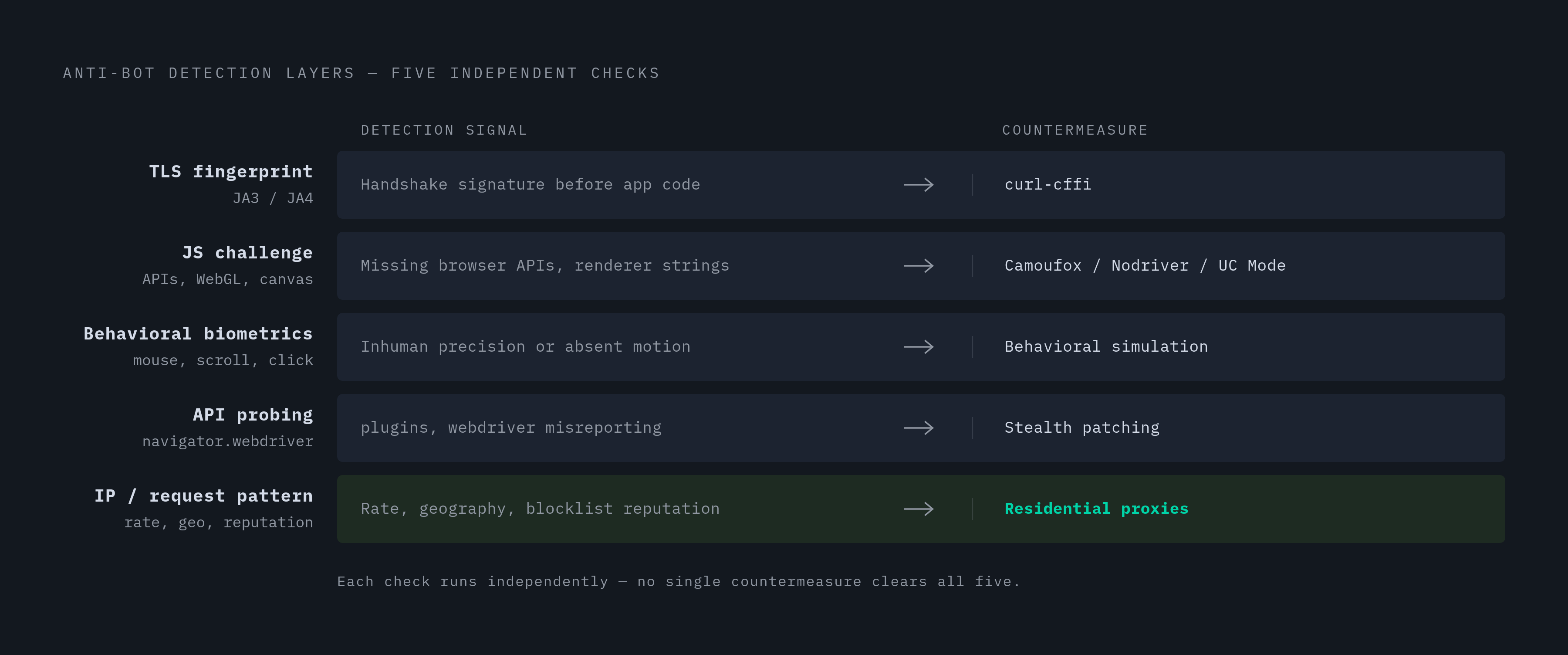
These systems check several things simultaneously, not just one. TLS fingerprinting looks at the unique signature (known as JA3 or JA4) created by the handshake an HTTP client or browser performs when it connects, a signature that can flag a request as automated before it even reaches the site's actual application code. JavaScript challenges run code in the browser checking for telltale signs of automation: missing browser APIs, suspicious WebGL renderer strings, odd canvas fingerprint behavior, gating the real response behind whatever that check concludes. Behavioral biometrics track things like mouse jitter, scroll speed, and click precision, and a scraper that jumps straight to a button with mechanical precision stands out instantly, often triggering a soft block. Detection systems also probe for incomplete browser APIs, since headless environments have historically misreported properties like navigator.plugins or navigator.webdriver. IP and request-pattern analysis, covering rate, geography, and reputation, is checked alongside the other signals.
Because each of these checks works independently, no single trick clears all five. Spoofing a TLS fingerprint with a tool like curl-cffi does nothing against a JavaScript challenge. A stealth browser that sails through that JavaScript challenge can still get caught by behavioral biometrics if its navigation looks robotic. Beating this layer takes a stack, not a silver bullet.
A workable 2026 stack layers four things together. curl-cffi handles TLS impersonation, mimicking a real browser's handshake, which matters most against sites protected by stricter anti-bot vendors where JA3/JA4 fingerprinting would otherwise block a request before it reaches any application logic. On the browser side, Camoufox (Firefox-based, with deep fingerprint randomization, effective against Cloudflare Turnstile), SeleniumBase's UC Mode (patched, undetected browser-driver binaries, holding up well against Cloudflare-protected targets through early 2026), and Nodriver (a direct browser DevTools Protocol implementation that sidesteps higher-level automation markers) each cover different weak points. Behavioral simulation, meaning randomized mouse movement, varied scroll speed, human-like pauses between actions, matters wherever behavioral biometrics are in play. And residential proxies swap out datacenter IPs, which already carry a scraper's reputation before a single request goes out, for traffic that looks like a genuine household connection.
The soft block deserves special attention because it's the one failure mode built to be invisible. Detection triggers, but the site serves a version of the page where the price or inventory field quietly never populates, without throwing a 403 or any error. The scraper records a null value, logs success, and moves on, the exact same silent failure described earlier with plain HTTP shells, just one layer deeper in the stack. Catching it means validating that expected fields actually hold data before a page gets marked as successfully scraped, not just checking that the request came back with a successful status code.
Tools built for 2023 and 2024 conditions have mostly been caught up to and patched around since. A scraping stack that hasn't changed since 2024 is very likely broken already, even if nothing in the logs says so.
There's a reasonable objection here: why build any of this instead of paying a managed scraping service to handle it? For scale, or for the most heavily protected targets, that trade-off makes sense, and it's a legitimate choice. The stack above is what those managed services are running internally, and understanding it matters whether the plan is to build this in-house or buy it from someone else.
With rendering handled and the anti-bot layer covered, one question remains: does any of this still work once volume goes from a test run of a few dozen pages to a production job touching hundreds of thousands of them?
Scaling from hundreds to hundreds of thousands of product pages without collapsing the pipeline
A scraper that runs cleanly against fifty product pages on a laptop is solving a completely different problem than one that needs to run against half a million SKUs on a schedule. What works at small scale doesn't survive the jump unchanged. It runs into new constraints around cost, memory, and reliability that only appear once volume climbs.
Each browser instance eats a meaningful chunk of memory and CPU on its own. The fix is treating the browser layer as a managed pool: a fixed number of instances recycled across jobs, each one checked periodically and restarted automatically if it stalls or leaks memory, rather than left running indefinitely until it falls over on its own.
The anti-bot stack scales the same way. Residential proxies, stealth browser tooling, behavioral simulation, all of it still has to run on every single request, and running it a hundred thousand times costs a hundred thousand times what running it once does. At that volume, catching soft blocks isn't optional anymore either. If a validation check silently fails for even a small share of pages, you still end up with thousands of empty price fields in a dataset meant to represent a full catalog.
Scaling rendering and detection bypass doesn't eliminate either problem. A scraper built without that in mind from the start is a prototype that happened to work once, not a smaller version of a production system.